My Recycle Bin
Deleted documents are placed in the Recycle Bin, allowing you to recover accidentally deleted files.
How It Works
Every infoRouter user has their own personal Recycle Bin that contains documents they have deleted.
Privacy
You can only see the contents of your own Recycle Bin. The System Administrator can search through all Recycle Bins to recover documents.
Who Can Recover Documents?
| Scenario | Who Can Recover |
|---|---|
| You deleted the document | You or System Administrator |
| Another user deleted your document | The user who deleted it or System Administrator |
Recovering a Document
-
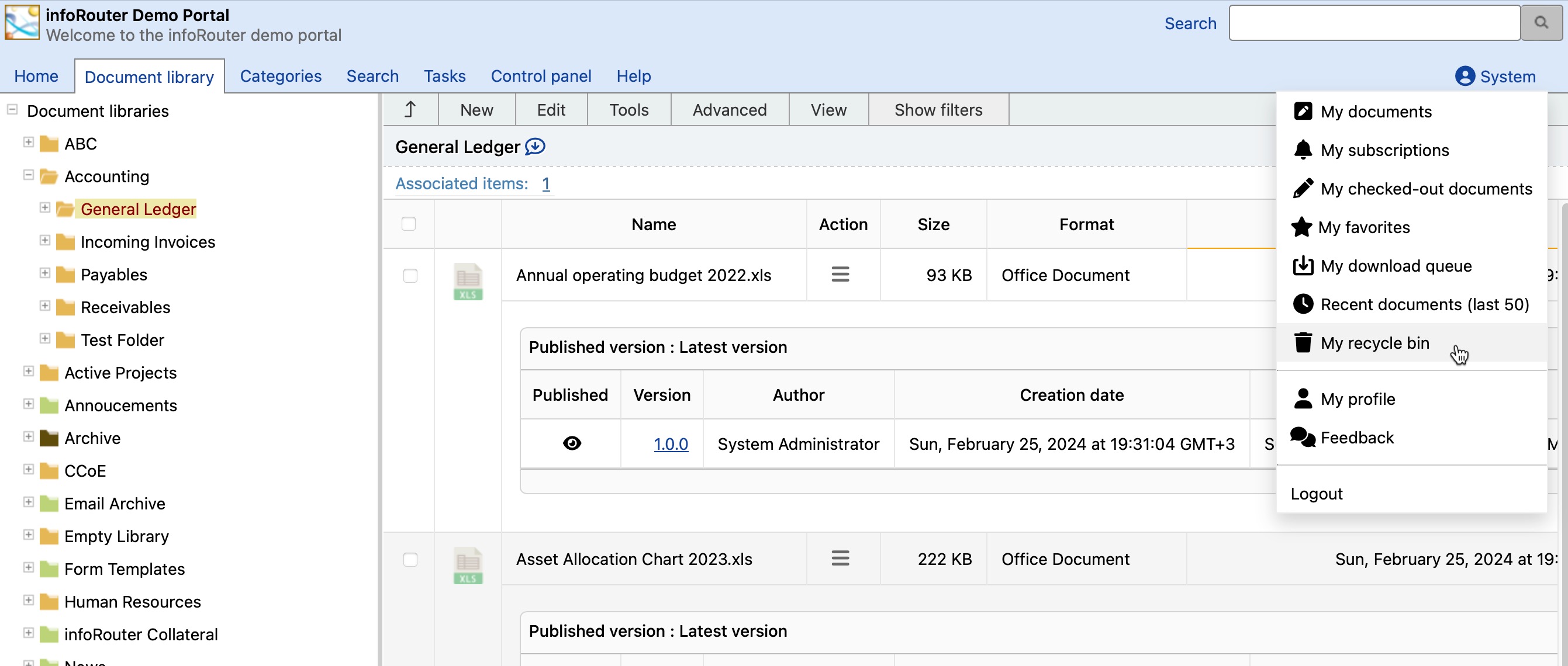
Click My Recycle Bin under your profile
-
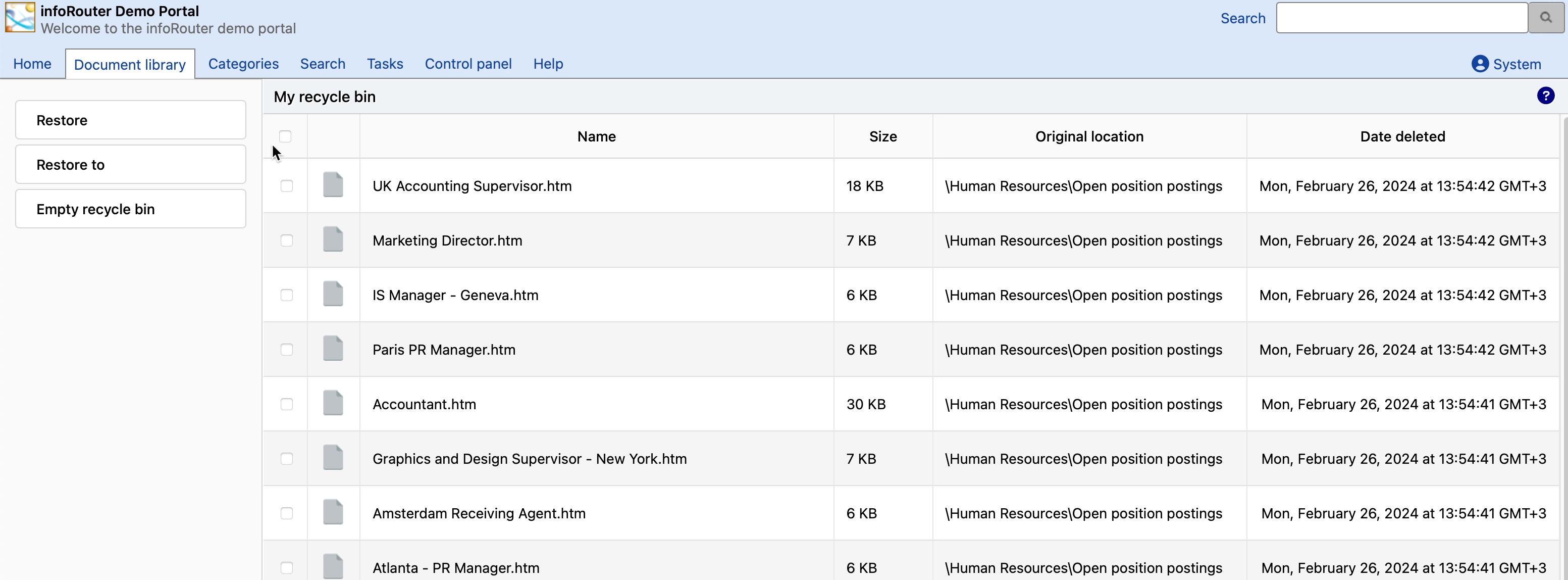
The Recycle Bin window displays all documents you've deleted
-
Select the document you wish to recover
- Click Restore
- Choose a folder to restore the document to
- Confirm your action
Full Recovery
Restored documents include all original information, including version history.
Emptying the Recycle Bin
Depending on System Administrator settings, you may see an "Empty Recycle Bin" button.
Still Recoverable
Even after emptying your Recycle Bin, documents are moved to the System Recycle Bin. The System Administrator or members of the Administrators group can still recover these documents.