Document Comments
Comments allow you to add notes and feedback to documents without modifying the document itself.
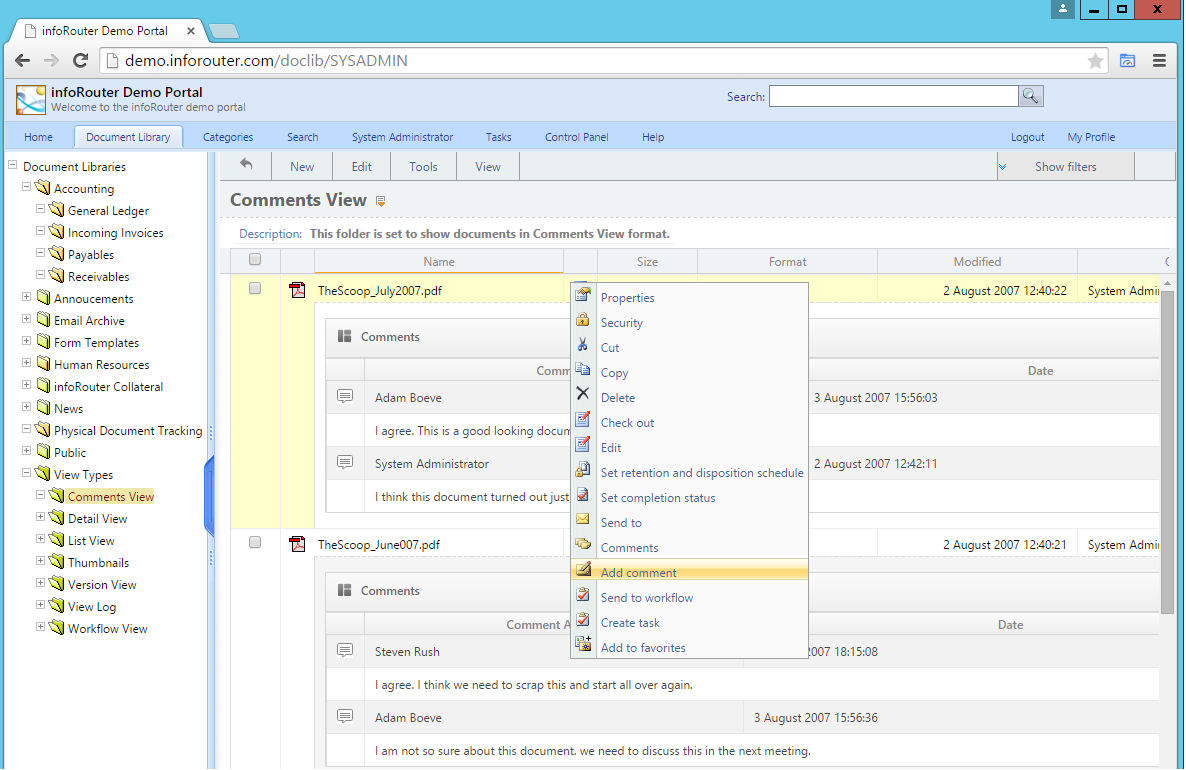
Adding Comments
Permission Required
You must have at least Read permissions to add comments to a document.
Method 1: Action Menu
- Click the Action icon on the document
- Select Add Comment
- Enter your comment in the window that appears
- Click OK
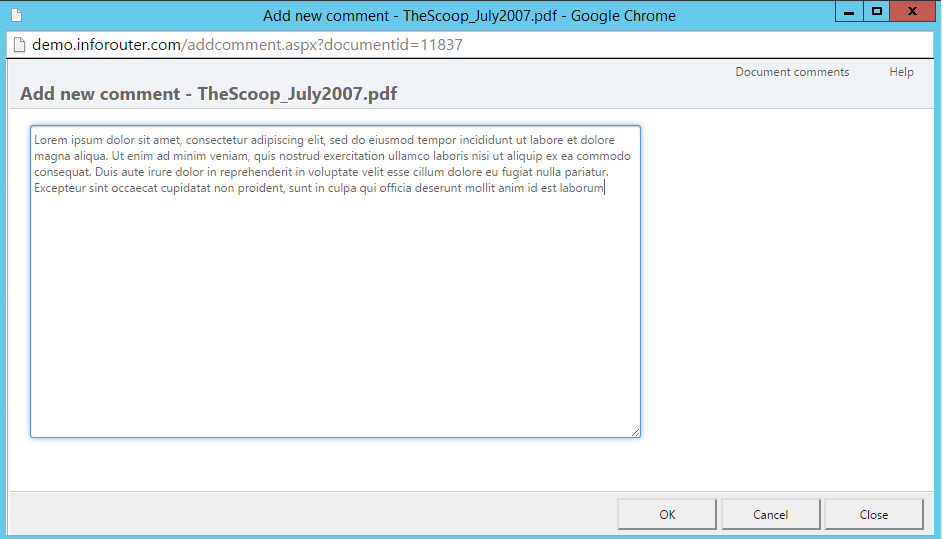
Method 2: Document Properties
- Open Document Properties
- Click Comments in the left sidebar
- Click the Add Comment button
- Enter your comment
- Click OK
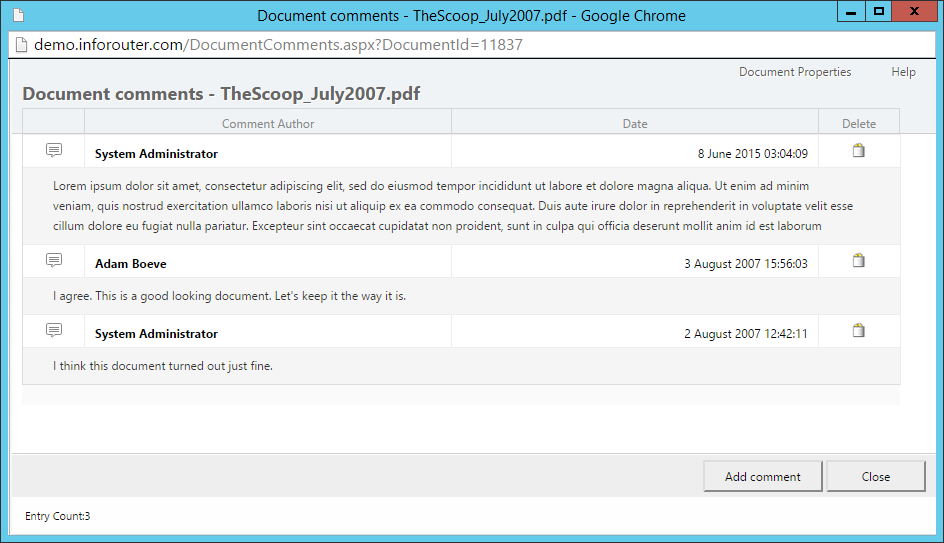
Deleting Comments
You can delete a comment if:
- You own the document, OR
- You added the comment
How to Delete
- Click the Action icon → Document Properties
- Click Comments in the sidebar
- Click the Delete button next to the comment you want to remove
Version Comments
Version comments are different from document comments — they're attached to specific versions and created when checking in documents.
| Comment Type | When Created | Purpose |
|---|---|---|
| Document Comments | Anytime | General notes about the document |
| Version Comments | During check-in | Notes about specific version changes |
Viewing Version Comments
- Open Document Properties
- Click Versions in the left sidebar
- Version-specific comments appear under each version
Who Can Add Version Comments
Only users with Change permissions can add version comments, as they're created during the check-in process.