Categories (Saved Searches)
Categories are pre-defined search queries that group related documents under a common heading. They provide a quick way to find documents without manually entering search criteria.
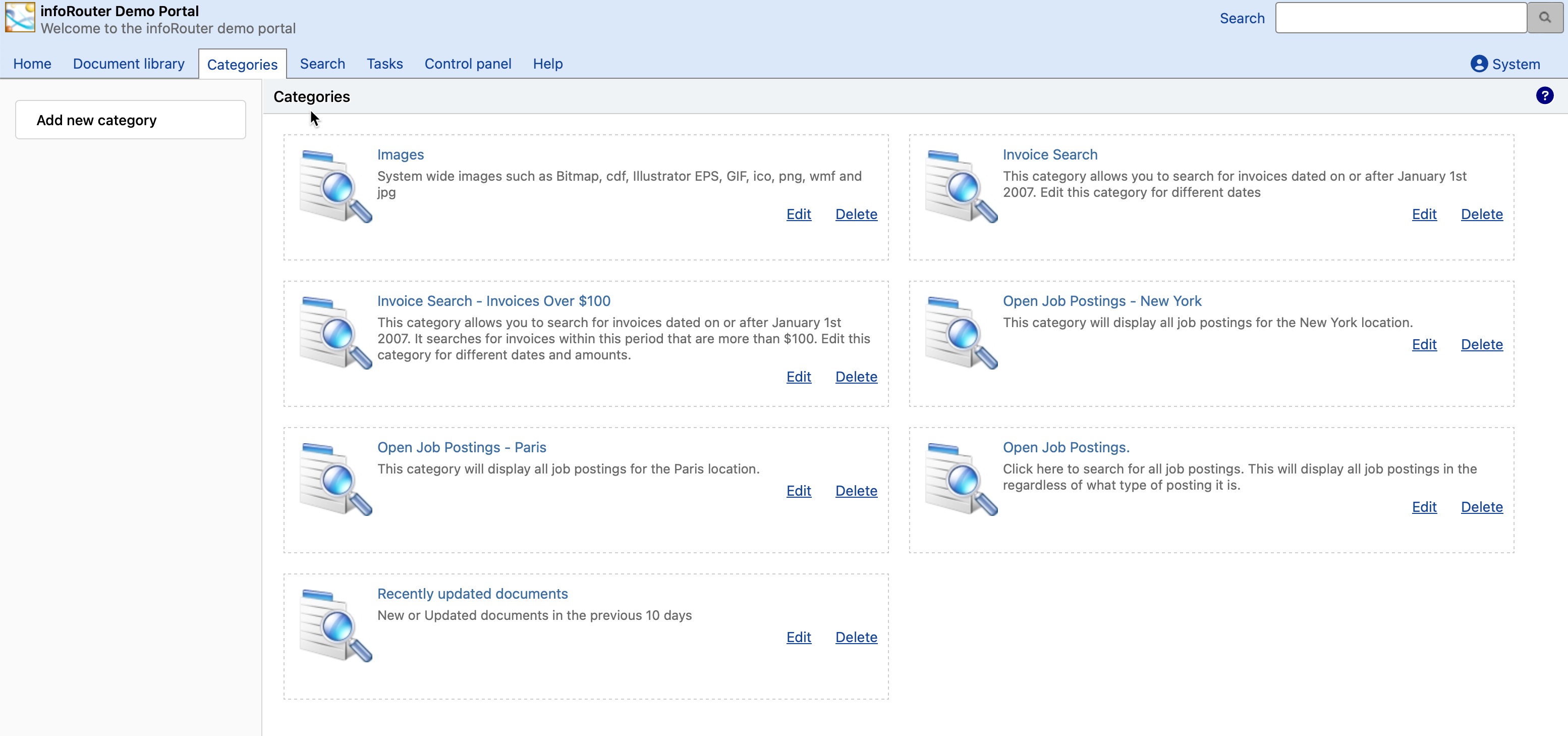
What Are Categories?
Categories function as saved searches that have been configured by administrators. When you click on a category, infoRouter automatically runs the associated search and displays matching documents.
Quick Document Access
Categories provide one-click access to commonly needed document groups, eliminating the need to remember and enter search criteria.
Using Categories
How to Search with Categories
- Navigate to the Categories tab from the main portal
- Browse the available category names
- Click on the category that best describes what you're looking for
- View the list of documents matching that category
Category Examples
| Category Name | Documents Returned |
|---|---|
| Recent Invoices | Invoices from the last 30 days |
| Pending Approvals | Documents waiting for approval |
| HR Policies | All Human Resources policy documents |
| Project Alpha | All documents related to Project Alpha |
| Expiring Contracts | Contracts expiring in the next 60 days |
For Administrators
Categories are created and managed by Category Administrators:
| Task | Description |
|---|---|
| Creating Categories | Define new categories and their search criteria |
| Editing Categories | Modify existing category settings |
| Deleting Categories | Remove categories no longer needed |
| Category Administrators | Manage who can create and edit categories |